
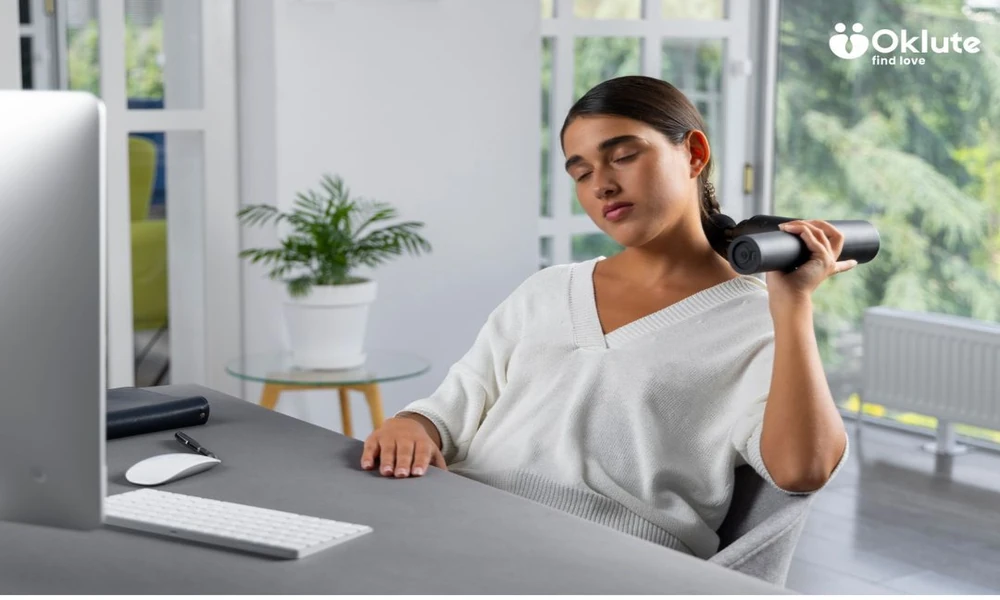
Prolonged periods of sitting at a desk will eventually impact how the body feels and operates. Stiff shoulders, extremely tired eyes, discomfort in the lower back, and tension in the wrists are very common problems for individuals who use their computer all through the day. Although these problems might appear as an essential part of working at a desk, making a few minor changes to your workspace can really make a difference. An optimal setting, accompanied by constant movement and reasonable work practices, will help decrease the feeling of physical exhaustion and make even the longest shifts much more manageable.
Adjust Your Chair and Sitting Position
Your chair plays a very important role in holding up your body over the course of your workday, and Mumbai escorts can keep this in mind while choosing office furniture. A less-than-ideal seat will really encourage awkward postures and put completely unnecessary strain on your lower back, hips, and shoulders.
Begin by adjusting the chair height so that your feet are resting quite comfortably on the floor or on a footrest. Ideally, your knees ought to be about hip-level – with just enough space right behind them to prevent pressure. Make sure you’ve got a chair that really gives support to your lower back and then adjust its backrest so that it promotes a comfortable, upright posture for you.
Keep your shoulders really relaxed as opposed to raised or pulled forward into a hunch. Avoid sitting still in one rigid position for many hours – even if your posture initially feels perfectly natural. Changing positions regularly lets different muscle groups move themselves – which really helps stop stiffness caused by prolonged sitting itself.
Position Your Monitor at a Comfortable Height
A poorly placed screen will encourage you to lean forward, tilt your head or strain your neck whilst reading. Over time, these habits will contribute to discomfort and fatigue.
Position your monitor straight in front of you – about the distance of an arm’s length initially. Set the height so that the top edge of the screen is level with or very slightly below your eyes, then make further adjustments based on your comfort, the size of your screen and any special vision requirements.
If you are using a laptop over long periods, why not think about using a laptop stand together with an external keyboard and mouse? This lets you elevate the screen without putting your hands into an uncomfortable position. If you’re working with several monitors, place the main screen right in front of you and arrange additional screens to reduce unnecessary twisting back and forth.
Keep Your Keyboard and Mouse Within Easy Reach
Repeatedly reaching, bending your wrist, and making unnecessary arm movements all contribute to making computer work more exhausting, a useful reminder for Kolkata escorts working from home or in an office. Position your keyboard and mouse so that you can use them without having to stretch out your arms or lift your shoulders.
Hold your elbows close to your body and form a right angle or slightly wider if it feels better to you. Have your forearms supported whenever possible while keeping your wrists pretty straight while you type.
Choose a mouse that fits comfortably in your hand and lets you move smoothly without holding on too tightly. If your current setup causes discomfort quite often, playing around with a different mouse shape or keyboard layout might really help.
Making a few small adjustments to the desk height and where your equipment sits will significantly cut down on awkward movements over the course of a very long shift.
Improve Lighting and Reduce Screen Strain
Eye fatigue makes an already long workday feel even more exhausting. Glare, poor lighting, small text and excessive screen brightness are all contributors to visual discomfort.
Place your screen so as to reduce reflections from windows and overhead lights. Instead of counting on a very bright display in a very dark room use equally lit room lighting. Set the text size and the screen’s brightness so they match your environment – and be sure your monitor is spotless so you won’t have to strain to see what’s there.
If you follow the 20-20-20 rule it will give you a chance to take regular visual breaks too: roughly every 20 minutes look at something about 20 feet away for 20 seconds. Bear in mind that making a conscious effort to blink regularly and glancing away from the screen itself really does help ease some of that visual discomfort.
Schedule Movement and Short Breaks

Even a very well-designed workspace will not eliminate all consequences of sitting too long without moving. Regular movement really does help break down those long periods of sitting – and gives you chance to change your posture.
Stand up, take a short walk, stretch quite gently or do a couple of comfortable shoulder rolls between jobs. If your schedule permits, try switching between sitting and standing instead of staying in one position all day long.
You may also want to relate movement to established routines, especially for Leeds escorts looking to stay active during work hours, by getting up after finishing a report or just taking a little stroll prior to a pre-scheduled meeting. Those short, regular breaks are really a lot easier to keep going with than waiting until you start feeling uncomfortable.
Conclusion
Reducing physical fatigue doesn’t need an expensive office renovation. Changing your chair position, placing your monitor so it’s right for you, keeping things that you use most often nearby, improving the light, and getting up regularly all turn your desk work into something more comfortable.
Watch for your body’s reactions and adjust your setup when necessary. Pain, numbness, or tingling persisting or getting worse shouldn’t be written off as just usual desk fatigue – think about asking a competent healthcare expert for their advice.
In the end, a really comfortable workstation develops itself through lots of very sensible little decisions. By combining some simple ergonomic changes with more regular movement and some more conscious working practices, you’ll be able to create a workspace which will give you much better support for your comfort, concentration and your energy over very long periods at your desk.
